How to Find Anyone's Email Address — Complete Guide

Whether you’re looking for a potential customer, doing link building outreach for your website, or applying for a job at a company, one of the most critical steps is finding the right email address for that person or organization.
I’ve probably found thousands of email addresses over the years. So I’ll share the most effective methods I’ve discovered across many different scenarios.
What’s Covered
- Finding anyone’s email address (or a department’s) from a website.
- Finding a specific person’s email address.
1. Finding Email Addresses from a Website
In this section, we’ll find email addresses of people or departments starting from just a website domain. The second section covers finding a specific individual’s email at any company.
There are hundreds of tools for finding email addresses associated with a website, but my favorite — and the one that consistently ranks at the top of accuracy tests — is Hunter.io. That’s why I’ll focus on Hunter.io here. That said, you might also want to try name2email, which has shown really impressive test results.
1.1 Hunter.io
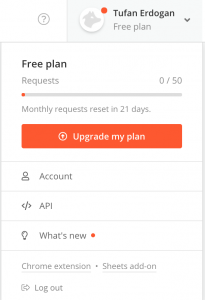
First things first: to sign up for Hunter.io, you need a business email address. By business email, I mean an email tied to a company domain — for example, I can’t sign up with tufaner34@gmail.com, but I can with tufan@jotform.com, which gives me 50 searches per month.
After that, enter the website domain you want to search in the “Domain Search” section. For example, if we want to find someone at entrepreneur.com and reach out to them, the second part begins — who exactly do you need to contact?
Evaluating the Results
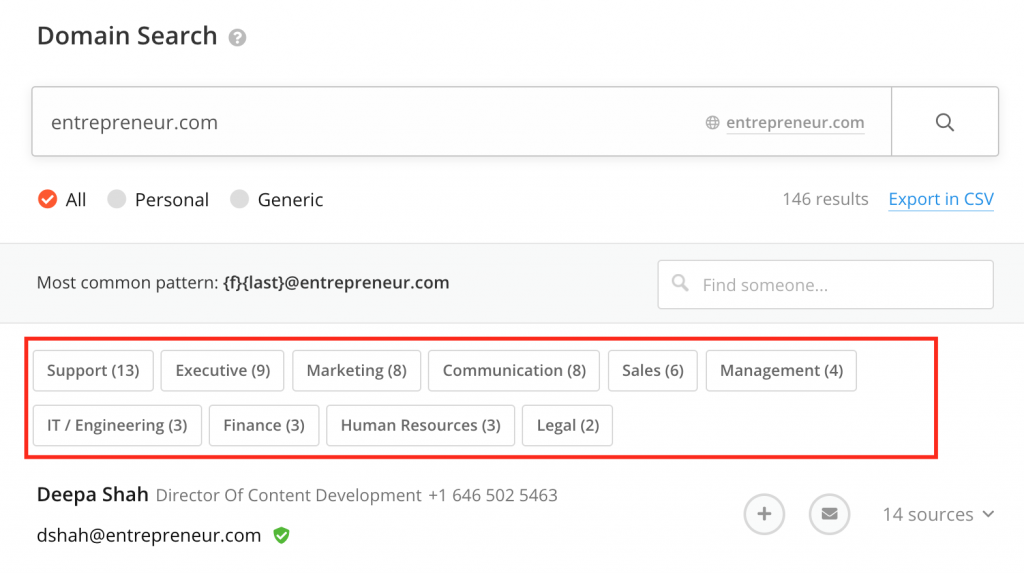
First, you need to decide which department and person you want to reach. If your goal is a job application, naturally you’d select “Human Resources” from the categories. But in this example, let’s say we want to reach entrepreneur.com’s marketing department.
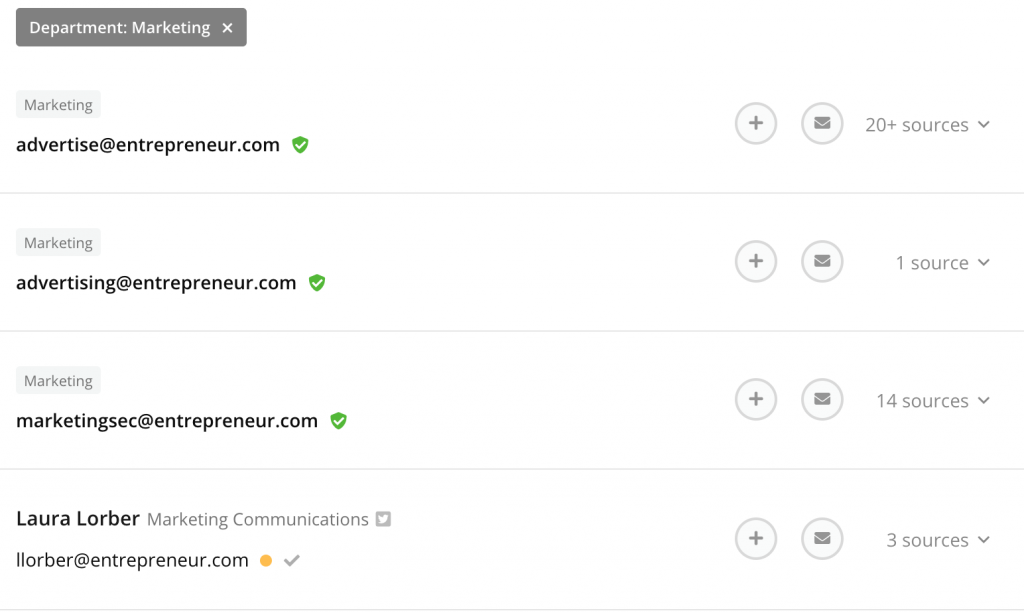
From the results, to maximize your success rate, you should only email people who are “Verified.” If nobody from a site is verified, I’d recommend reading the “Finding a Specific Person’s Email” section below. A person is verified when they have a green shield with a white checkmark next to their name.
Are only “Verified” emails correct? Of course not. However, if you see a yellow warning icon next to someone (like “Laura Lorber” in the screenshot above), definitely don’t email them — there’s a high chance your message won’t be delivered.
When Is an Unverified Email Still Valid?
Let’s look at my former employer, Özlem Bilgisayar, as an example.
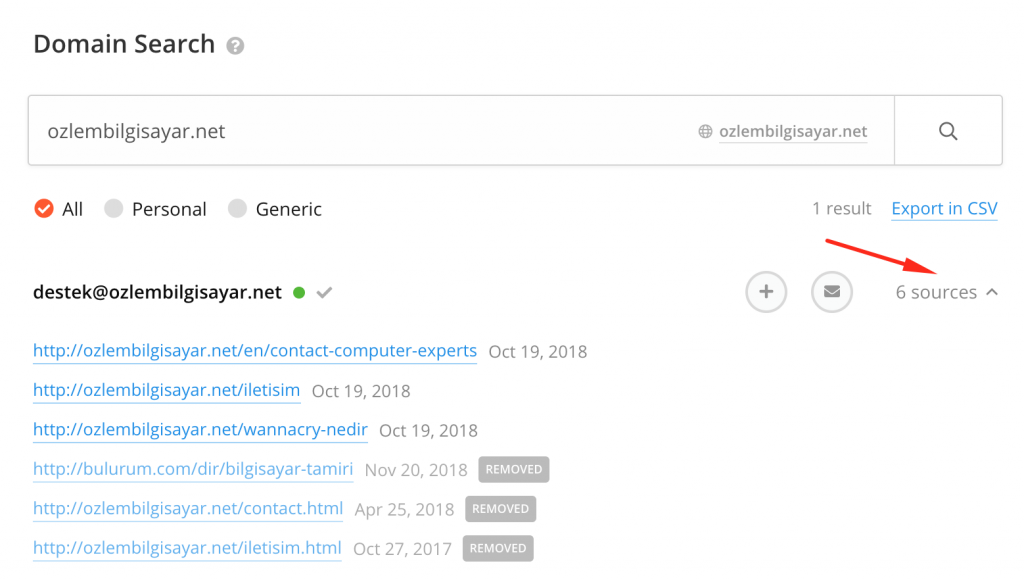
As you can see, the result (destek@ozlembilgisayar.net) isn’t verified, but you can click on the Source section to see where Hunter.io’s crawlers found this address.
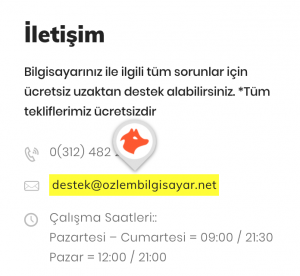
The email was found on Özlem Bilgisayar’s own contact page — meaning it’s a legitimate address. So even without the “verified” badge, if there’s a green icon next to an email, check its source to confirm it was found on a credible page.
1.2 Finding Email Addresses by Searching Within Websites
If you built a website, where would you put your company email? Most companies list their contact info on pages like “Contact,” “About Us,” “Our Team,” etc. Let’s search for Ozlembilgisayar.net’s contact information.
When searching on Google, adding the site: operator restricts results to that specific website. So I’ll search site:ozlembilgisayar.net iletişim (contact).
You might need to try different combinations — for instance site:ozlembilgisayar.net "about us" or if you know someone’s name, site:ozlembilgisayar.net [person's name].
2. Finding a Specific Person’s Email Address
Personally, this is my favorite method. Even though the bounce rate can be higher, there’s something satisfying about finding exactly the right person’s email.
Finding Email Addresses via LinkedIn
For this, we’ll install 4 Chrome Extensions:
Even for a single person, I use all four tools and compare the results. Let’s find the email of someone working in the Marketing department at JotForm, where I currently work.
First, go to JotForm’s LinkedIn company page to see the employees.
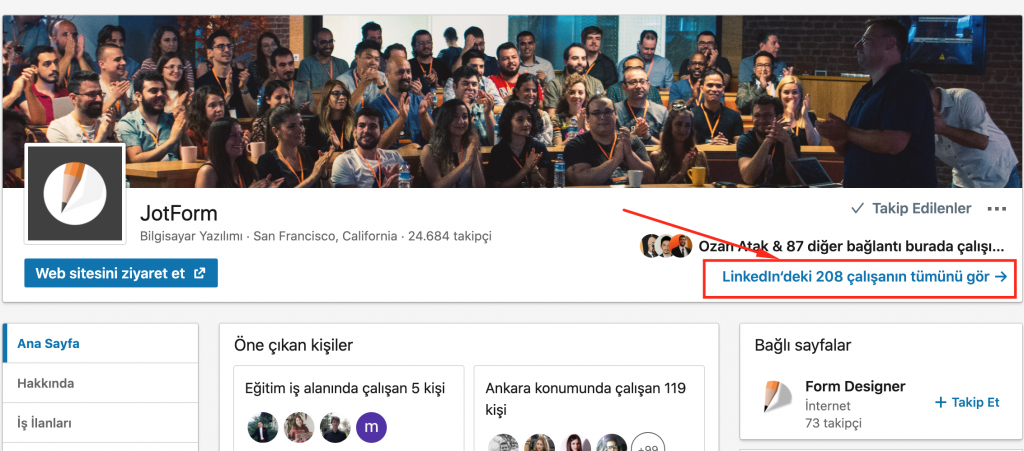
We need to find someone in our target department. Since we’re looking for someone in marketing, let’s try to find the email of Erman Ergün, whose title says “Marketing Operations Specialist at JotForm.”
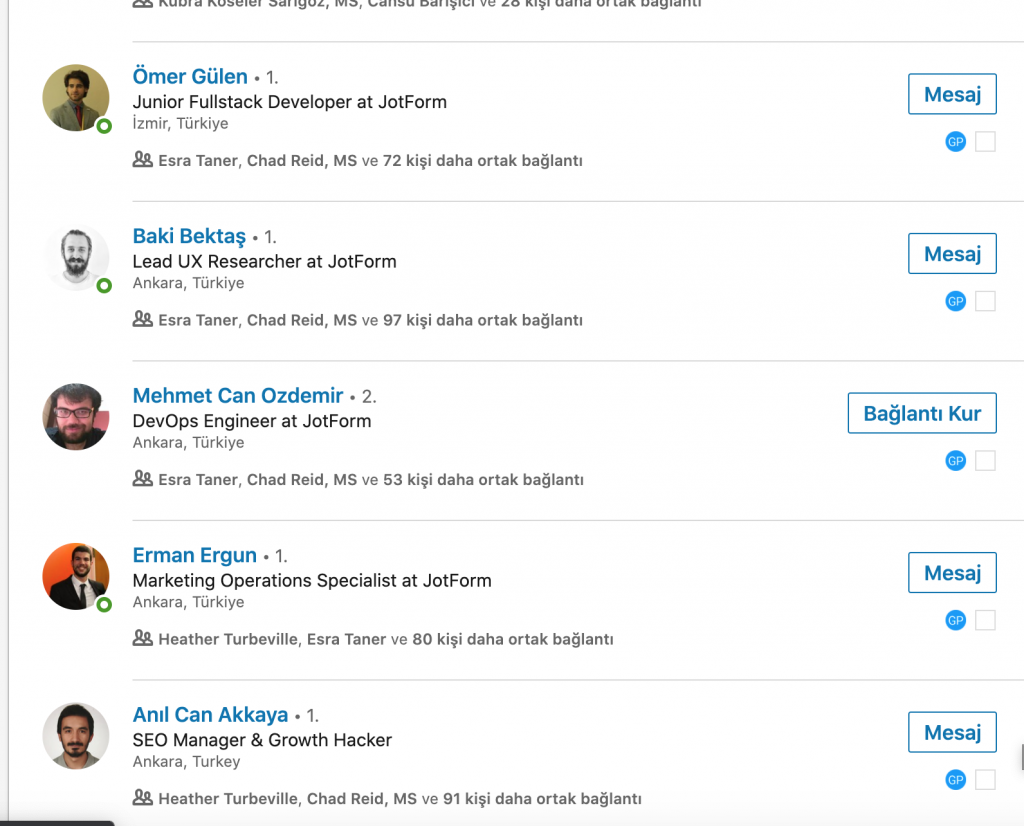
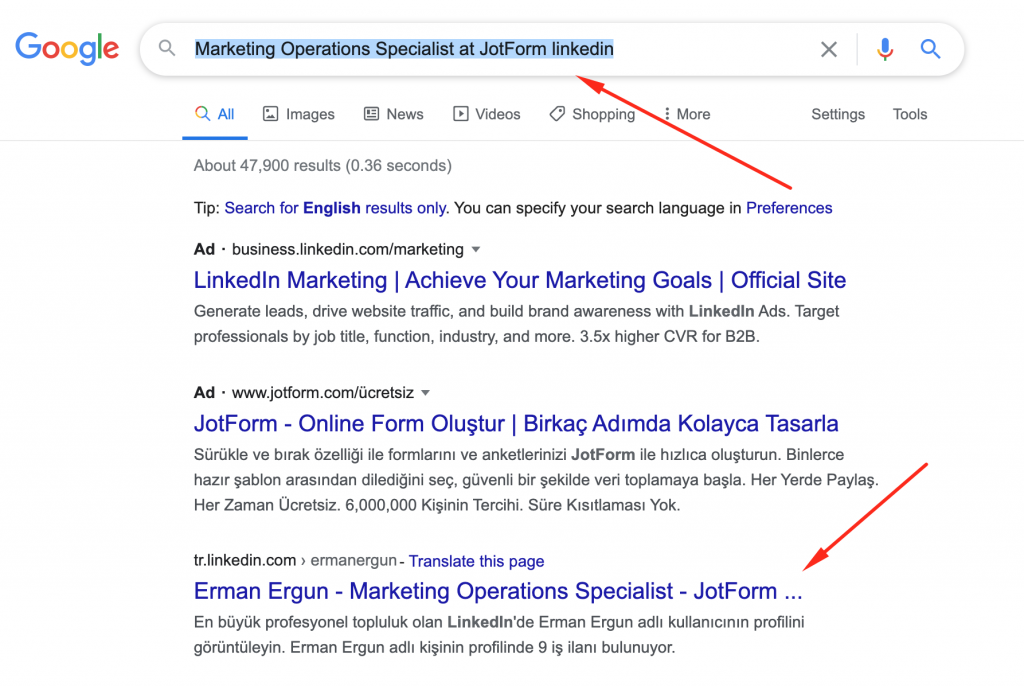
IMPORTANT NOTE: Since I have many connections at JotForm, LinkedIn shows me everyone’s names and photos. If it didn’t, I’d need to search Google for Marketing Operations Specialist at JotForm linkedin to find this person’s profile. LinkedIn will show you the job title regardless of whether you know anyone at the company.
After visiting Erman Ergün’s profile, all the installed extensions will send notifications about finding the person’s email. If they don’t, you can click on each extension to view its results.
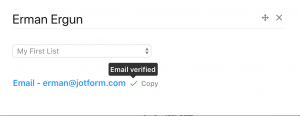
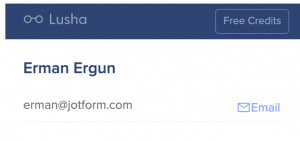
My two favorite tools, Lusha and GetProspect, both showed the same result: erman@jotform.com. This gives me confidence that when I need to email someone in JotForm’s Marketing department, I can reach out to erman@jotform.com without hesitation.
But what if the person doesn’t have a LinkedIn page, or we can’t find their email through LinkedIn?
Back to Google.
Finding Email Addresses via Google
This time I’ll search: Erman Ergun + "mail". I put “mail” in quotes because Google treats quoted terms as mandatory — every result must contain that exact word.
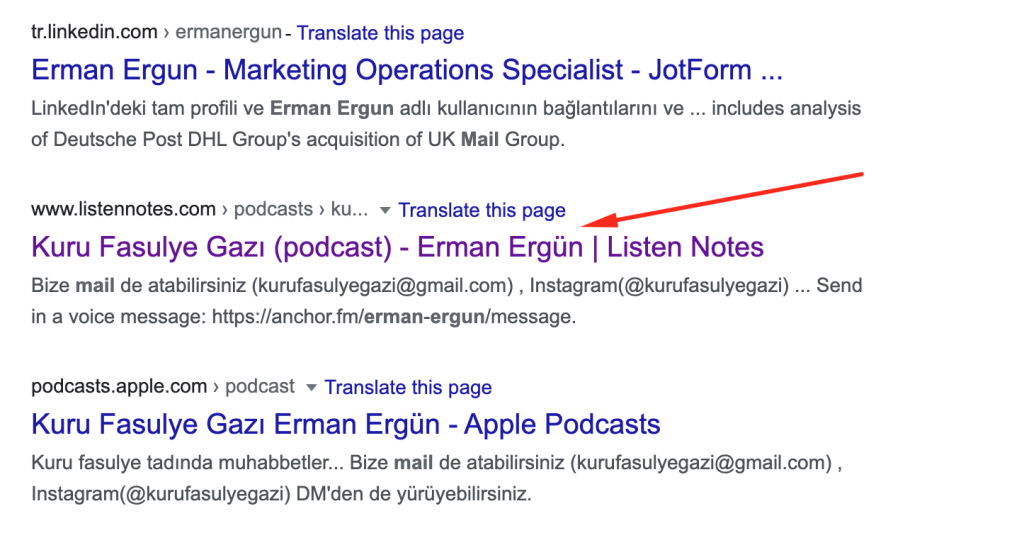
This search revealed that a user named Erman Ergün had signed up on listennotes.com for a podcast called “Kuru Fasulye Gazı” — and since that site contained the word “mail,” Google surfaced it for us.

On that site, next to the mail icon, we found Erman Ergün’s personal email address (ermanergun93@gmail.com). Personal email — found successfully.
Finally, let’s try guessing Erman Ergün’s email.
Email Permutator
Using Email Permutator+, we’ll generate all possible email combinations. Don’t use special characters in the name fields.
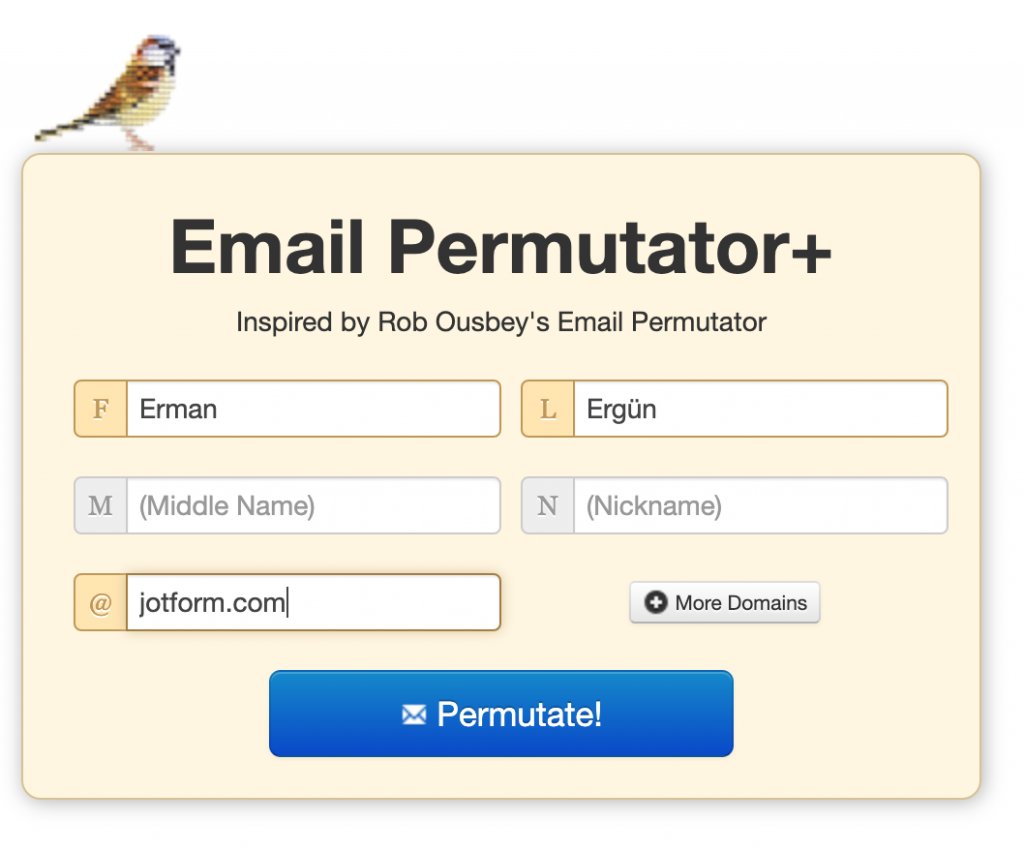
Copy all the results from Email Permutator+, open Gmail, start a new email, and paste all the permutations into the To field.
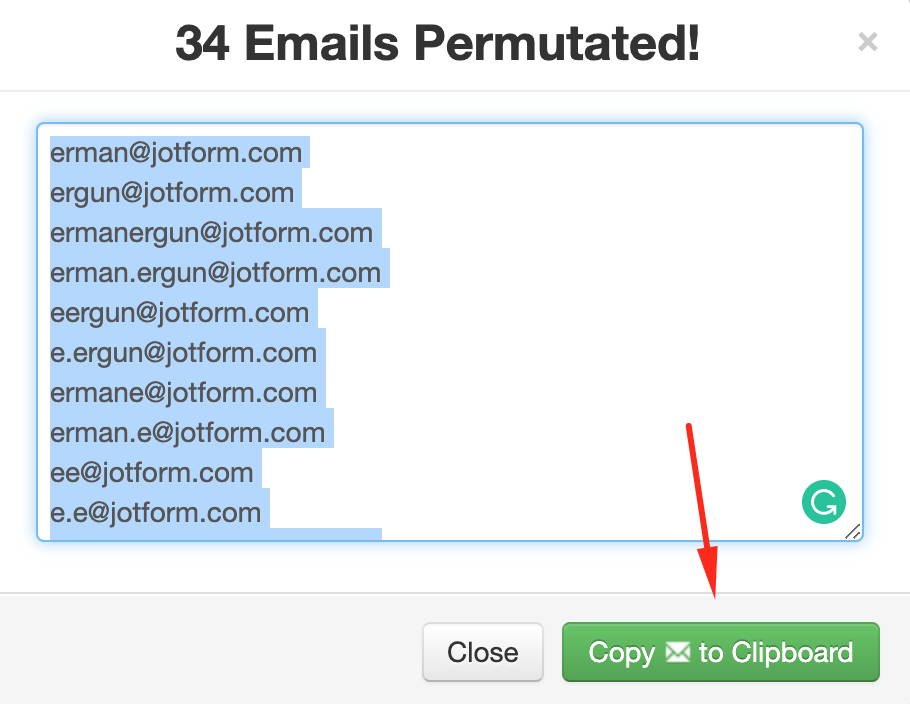
When you paste them into Gmail’s To field, there’s a small chance Gmail will validate which email is correct.
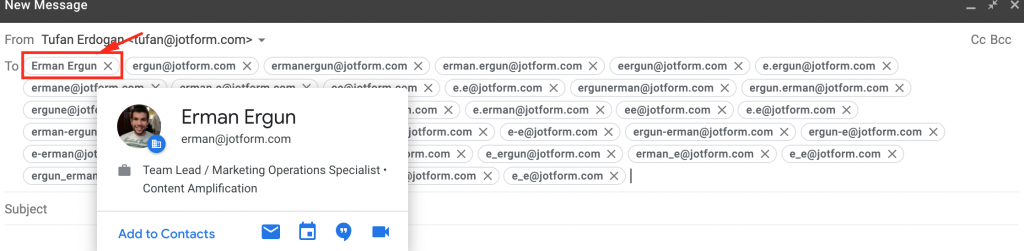
Since erman@jotform.com is registered with Gmail, I can see which guess was correct. Even with a small probability, you might find the right email using this permutation method. If Gmail doesn’t show any photo or name, you can try email verification tools like snov.io.
There are actually many more methods I haven’t covered, but I don’t find them as effective as the ones described above. Remember — I never insist on finding one specific person’s email. If I’d failed to find Erman Ergün’s address, instead of scouring Twitter or Facebook, I’d simply try these same methods on someone else in JotForm’s Marketing department.
If you use tools I haven’t mentioned for finding email addresses, I’d love to hear about them in the comments — I’m always happy to discover new tools. I hope this guide was helpful!
Good Hunting 🙂
Want to prevent your emails from landing in spam? Check out my SPF, DKIM, and DMARC guide. If you’re planning bulk outreach, also see my bulk email sending guide.
Related Posts
If you found this useful, check out my other articles.
All Posts →