How to write a follow-up email: 6 short examples
Write a short follow-up after a quote, meeting or product introduction. Use six examples, ask for one next step and decide when to stop.
Contents
- Answer four questions before sending
- How long should you wait?
- Should you use the same email thread?
- 1. Following up on a quote
- 2. After requesting information
- 3. After a trade show or meeting
- 4. Asking for feedback on a new product
- 5. Writing to an existing dealer or supplier
- 6. Sending a final follow-up
- Personalizing the examples
- Scheduling follow-ups automatically
- Common mistakes
- Common questions
In a follow-up email, briefly remind the person why you wrote, add useful information if needed, and ask an easy-to-answer question. Rather than repeating the entire first email or just saying “Waiting for your reply,” explain what you need them to decide.
A reminder email and a follow-up email can describe the same task here. Adapt the examples below to your situation.
Answer four questions before sending
- What did you ask for in the previous email?
- Did the person mention a date or suitable time?
- What useful new information can you add?
- Can they easily say they are not interested or the matter is closed?
Not every unanswered email needs a follow-up. If someone asked you to return later, respect that date. If they do not want further contact, stop sending introductions.
How long should you wait?
There is no single interval that suits every situation. A quote awaiting a sample, a conversation after a busy trade show and a short product discussion may need different schedules.
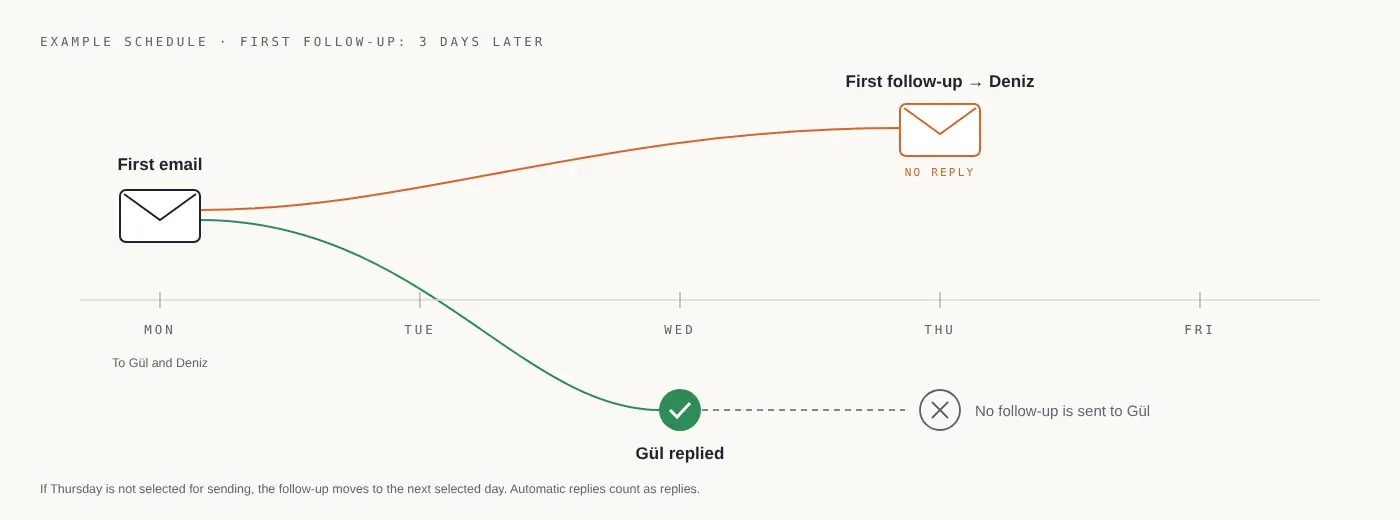
You might schedule a first follow-up three days later. That is one planning choice for these examples, not a universal interval proven to improve reply rates.
If you add a second follow-up, check which email the delay is measured from. In uLemio, follow-up delays are measured from the previous step. If the selected day is outside your sending schedule, the calendar shows the next eligible day.
Should you use the same email thread?
Continuing the same quote or question in its existing thread preserves context. For a new topic, choose a clear new subject.
Do not manually add “Re:” to make a new message look like a reply to an existing conversation. The subjects below simply help identify the original message.
1. Following up on a quote
Original subject: Packaging options and quote
Hi,
Have you had a chance to review the packaging quote I shared last week?
If the dimensions or quantities have changed, I can update the options. Would you like to proceed with the current quote?
Best regards.
There is no price pressure or invented deadline. The question is clear: does the current quote fit, or does it need a change?
2. After requesting information
Original subject: Dimensions and quantity for your quote
Hi,
I asked about the dimensions and approximate quantity needed to complete your quote.
If those are not confirmed yet, I can start with example options. Which approach would work better for you?
Best regards.
This allows for a reason the person has not answered and offers another way forward.
3. After a trade show or meeting
Original subject: The sample we discussed at the trade show
Hi,
A short follow-up about the sample we discussed at the trade show.
I can prepare it for your review. Could we confirm the relevant product range before I send it?
Best regards.
The context is specific: where you met and what you discussed. Do not claim a trade show conversation with someone you never met. For thank-you, quote and need-clarifying examples after a show, see the post-trade-show email examples.
4. Asking for feedback on a new product
Original subject: A short question about your reporting process
Hi,
I shared a tool I am building to make it easier to put reports together.
If this still takes up time, I can send a short example. How do you handle it at the moment?
This message does not immediately ask for a meeting or purchase. It first tries to establish whether the need exists.
If you are working on a new product, see the plan for contacting your first relevant users.
5. Writing to an existing dealer or supplier
Original subject: Product information for the new season
Hi,
Is anything missing from the product information I shared for the new season?
If you have decided which products to consider, I can prepare the details around your selection.
Best regards.
Use this only if the relationship and previous email are real. Do not write to every company on a list as though you already work together.
6. Sending a final follow-up
Original subject: Product discussion
Hi,
This is my last email about this. If it is not a priority right now, you do not need to do anything.
If you would like to revisit it later, you can reach me in this thread.
Best regards.
If you say this is the last email, do not schedule another follow-up in that send. Your closing message and automation should agree.
Personalizing the examples
Changing the name is a start. The useful part is getting the context right:
- What did you discuss?
- What information was requested?
- Which product or need is relevant?
- What has changed since the last email?
For a spreadsheet list, add a personal note column. In uLemio, the {kişisel} field inserts that note only into the relevant person’s message. You write the note yourself.
Do not guess facts to personalize a message. “For your new facility…” only makes sense if you know there is a new facility.
Scheduling follow-ups automatically
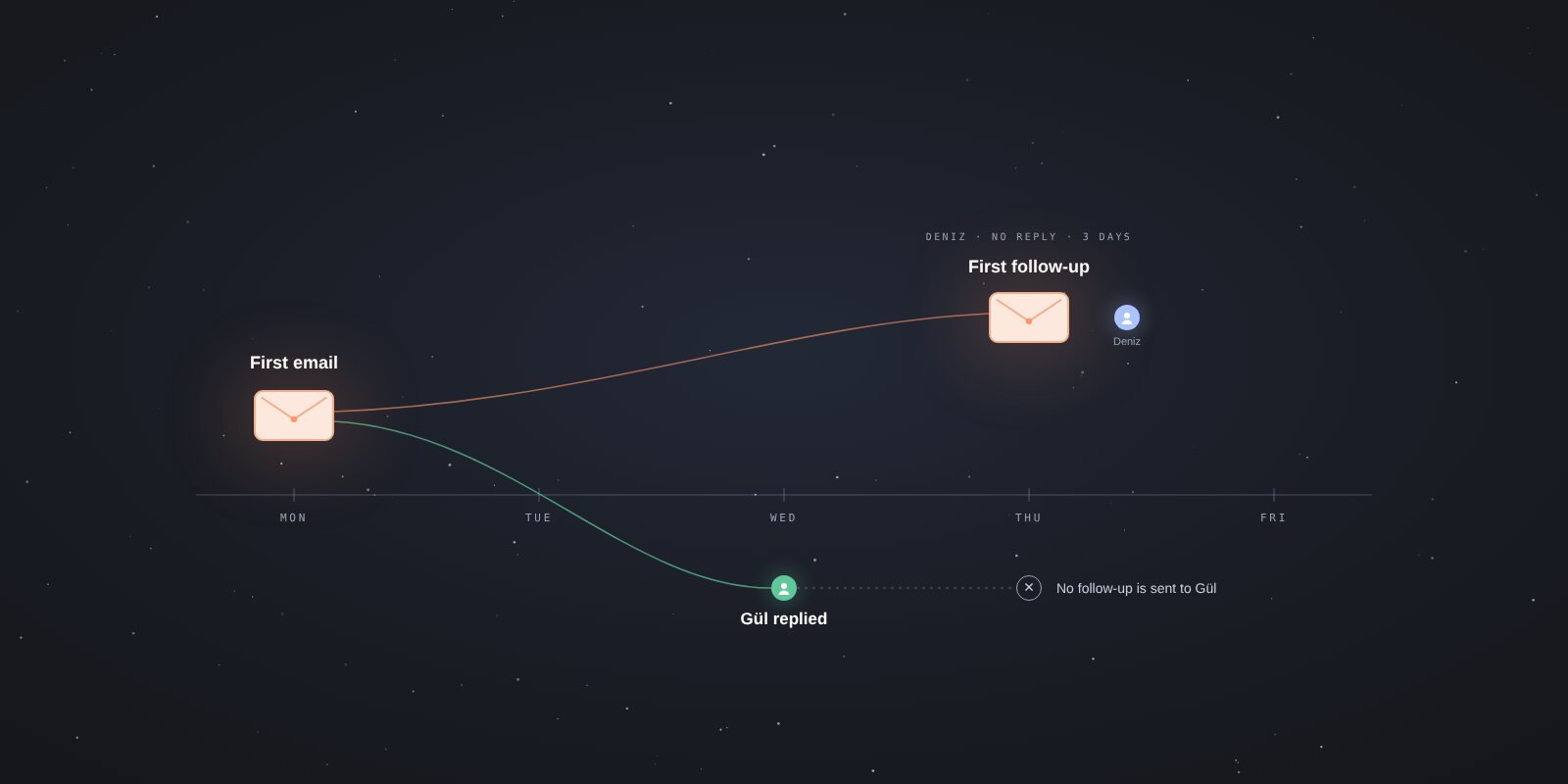
In uLemio, you can add up to two optional follow-ups after the first email. When a reply is detected, remaining follow-ups to that person stop; other contacts continue. Automatic replies count too.
Consider separately what to do after an out-of-office response. If you need to contact the person later, take the information in their reply into account.
Follow-ups count toward the email account’s daily allowance. Automation does not mean unlimited sending or guaranteed replies.
Common mistakes
- Resending the entire first message without any change.
- Ending with “You may have missed my email” without a clear request.
- Inventing a deadline or scarcity.
- Asking for several meetings, files and decisions at once.
- Continuing follow-ups after a reply or an opt-out.
- Sending another message after saying it was your last one.
Common questions
How many follow-ups are enough?
It depends on the need and previous relationship. uLemio allows up to two; you do not have to add either.
Does no reply mean no interest?
Not necessarily. But silence is not a reason to keep contacting someone indefinitely.
Should I continue after an automatic reply?
Consider the information in the reply. uLemio treats an automatic reply as a reply and stops that person’s remaining follow-ups.
Can I use these examples directly?
Adapt them to your own details if the situation is real. Do not imply a conversation or quote that never happened.
Prepare your emails and follow-ups in uLemio · Compare Gmail sending methods